
Multi EMA Cloud Indicator
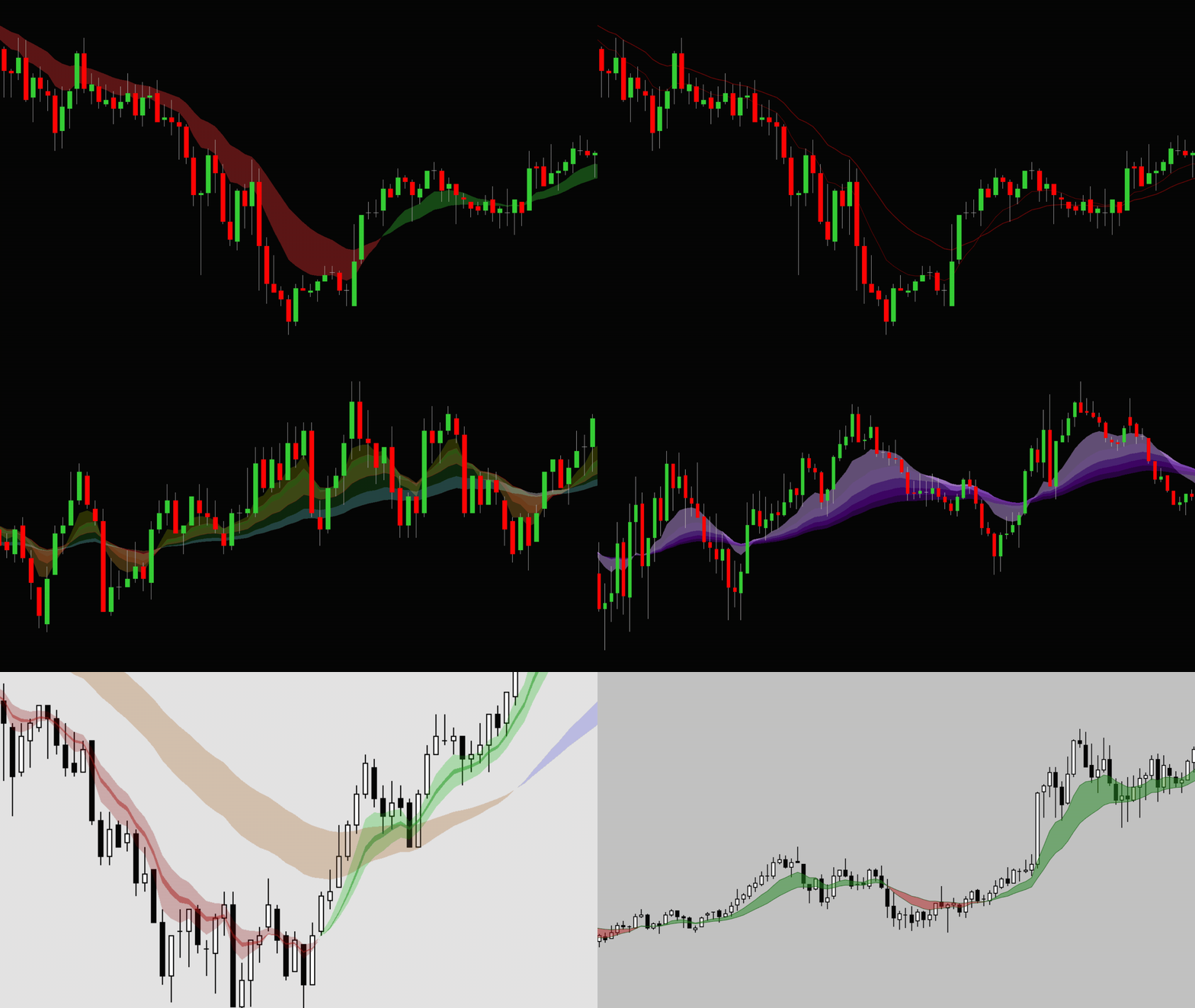
A clearer way to view trend, momentum and moving average structure
The Multi EMA Cloud Indicator is a visual trend-following tool for NinjaTrader designed to make moving average structure easier to read at a glance.
Instead of displaying several plain moving average lines on your chart, this indicator allows you to build coloured EMA “clouds” between multiple exponential moving averages. The result is a cleaner, more visual chart layout that helps traders quickly see when shorter-term EMAs are above or below longer-term EMAs.
For traders who like the popular Ripster-style EMA cloud setup (see below) seen on TradingView, this indicator gives NinjaTrader users a similar visual approach directly inside NinjaTrader.

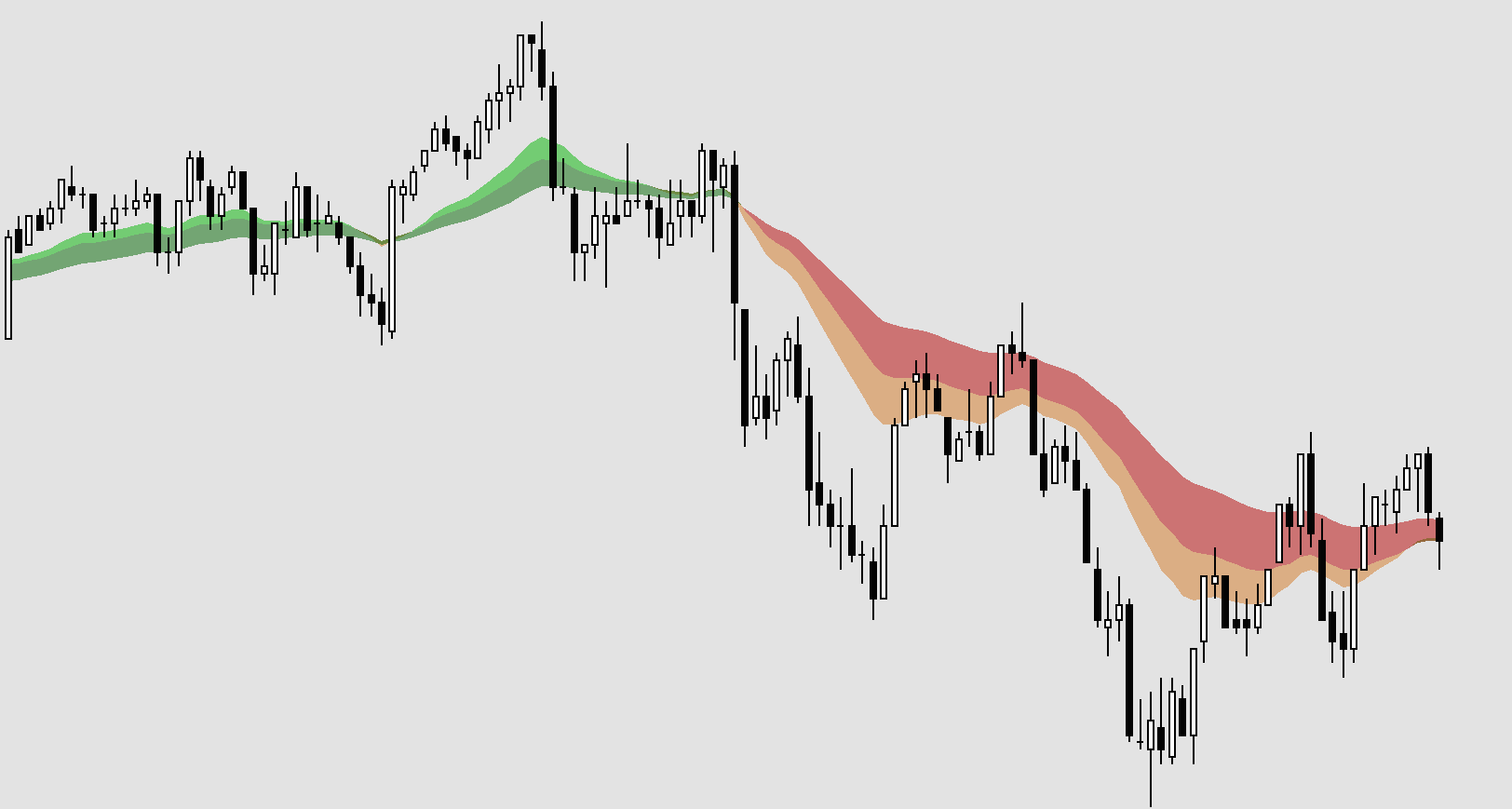
Why use EMA Clouds?
Many traders already use moving averages to identify trend direction, pullbacks, momentum shifts and areas where price may react.
The problem is that several moving average lines can quickly become messy, especially on fast-moving intraday charts.
EMA clouds help solve this by turning the space between moving averages into clearly coloured zones.
This makes it easier to see:
When shorter-term EMAs are stacked above longer-term EMAs
When the market is trending strongly
When price is pulling back into a moving average zone
When momentum may be weakening
When different EMA groups are compressing, expanding or crossing over
The indicator simply gives you a cleaner visual framework for reading moving average structure.
Ripster-Style EMA Cloud Setups
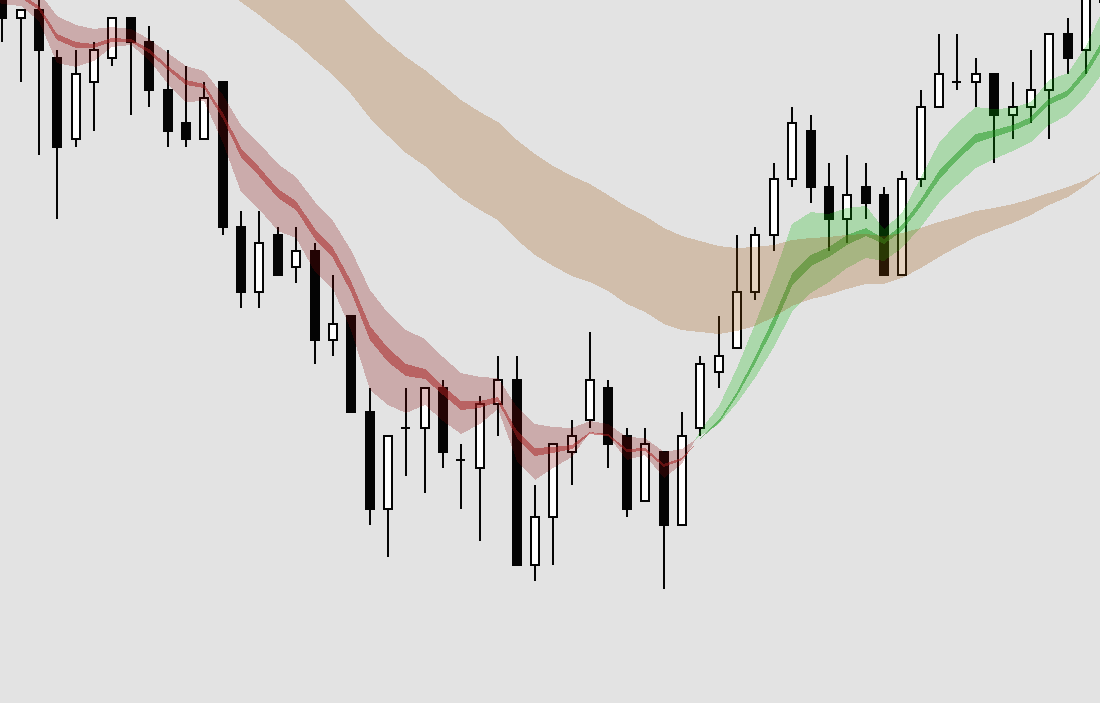
The indicator can be configured in a similar style to the popular Ripster EMA cloud layout.
You can create multiple EMA pairs and apply different cloud colours depending on whether the faster EMA is above or below the slower EMA.
For example:
A green cloud when the faster EMA is above the slower EMA
A red cloud when the faster EMA is below the slower EMA
A separate wider cloud for longer-term trend context
A subtle background cloud to show the broader trend zone
This gives NinjaTrader users a familiar EMA cloud layout without needing to use TradingView for that specific visual setup.
This product is not affiliated with, endorsed by, or connected to Ripster. It simply allows users to create a similar style of EMA cloud chart inside NinjaTrader.
Key Features
Up to 6 configurable EMAs
Add up to six exponential moving averages to your chart.
Each EMA can be set to your preferred period, such as 9, 20, 30, 50, 100 or 200.
Individual EMA styling
Each EMA line can have its own colour, thickness and line style, allowing you to build a chart layout that suits your own trading approach.
Coloured cloud shading between EMA pairs
Create shaded cloud zones between EMA pairs, such as:
EMA 1 and EMA 2
EMA 2 and EMA 3
EMA 3 and EMA 4
EMA 4 and EMA 5
EMA 5 and EMA 6
Separate colours for bullish and bearish EMA structure
Each cloud pair has two colour settings:
One colour when the faster EMA is above the slower EMA
Another colour when the faster EMA is below the slower EMA
This makes it much easier to see when the moving average structure changes.
Custom opacity control
Cloud transparency can be adjusted so the indicator can be bold and colourful, or subtle and clean depending on your preference.
Designed for NinjaTrader
The indicator is built specifically for NinjaTrader charts and is intended to give NinjaTrader users a smooth EMA cloud experience without needing to recreate the setup manually.
Who is it for?
The Multi EMA Cloud Indicator is suitable for traders who like visual chart tools and want a clearer way to follow moving average structure.
It may be useful for:
Day traders
Futures traders
Index traders
Scalpers
Trend-following traders
Traders who already use EMA systems
Traders who like the Ripster-style cloud layout
NinjaTrader users who want a more visual alternative to standard EMA lines
It can be used on different markets and timeframes, including futures, indices, forex and stocks, depending on your own trading plan.
A simple, low-cost EMA Cloud tool
This indicator was created for traders who like the clean visual style of EMA clouds and want the same type of setup available directly inside NinjaTrader.
It is not overcomplicated.
It simply gives you a flexible, attractive and easy-to-read EMA cloud layout that can make your charts clearer and more visually useful.
For traders who like colour-coded moving average structure, this is a simple but effective addition to the NinjaTrader toolkit.